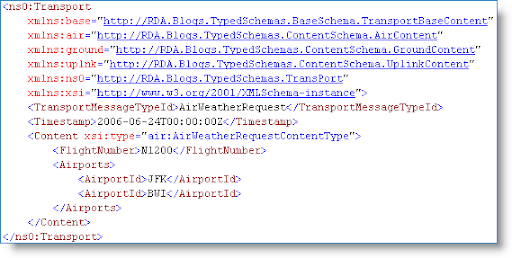
Following on to the BizTalk Xml Complex Types post here are some tips for working with Complex or Global Types in the BizTalk Schema Editor itself.
Creating a Complex Type
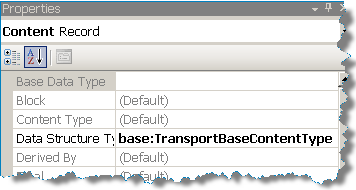
The BizTalk Editor is very message-instance-centric and typically you are working with a schema that already represents a message in whole or in part. To create a complex type, highlight a record node and type in a Data Structure Type value. Typically I will use a suffix of "Type" as seen below.
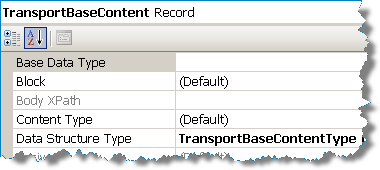 | When you assign a value to the Data Structure Type property the BizTalk editor adds the "type" attribute to the element and also creates a definition for the type. This is important to note because if we delete the actual record node, the schema editor will look empty yet the Xml type we created still exists! In fact, when saving such a schema a prompt will be displayed asking about deleting unused schema definitions. |
In this case our Xml record has no children because it is a base type, but further below we'll look at a more complex example.: 
Saving a schema with unused data types results in a pop-up dialog being displayed: 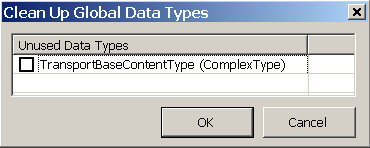
Updating a Complex Type using the BizTalk Editor
Rename: To rename a global type, change the Data Structure Type property value. Caution should be applied if this global type is used in external schema definitions.
De-referencing: Let's say you've defined an Xml record as a global type but now you decide it'd be nice to copy all the elements from the global type but not reference it. This is easily done and is a nice feature of the BizTalk Xml Editor. Right-click on the Data Structure Type property and click "Reset" from the context menu. The property will now be empty and the fields from the global type will be copied to your record node as if you had typed them in. This tip works with other global definitions as well, such as Sequence Group references.
Deleting: Using the BizTalk Editor the only way to delete an unused Global Type is to remove its use from your schema and then save the schema. The type definition will then be deleted if you choose. See the above screen shot "Clean Up Global Data Types". You can also edit the XSD file manually or use the standard XML Schema Editor.
Example
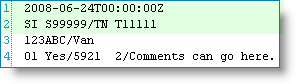 In our example BizTalk application we process many different kinds of flat file messages and the first two rows of all the messages contain the same format. So, we would like to create a reusable global definition.
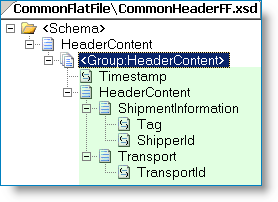
Row 1 contains a timestamp, and row 2 contains a "/" (slash) delimited record for Shipment ID and Transport Number.
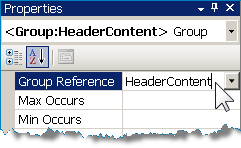
The first step (see next image) is to create a schema to hold the header flat file definition. You can use the Flat File Wizard if you want to help define the schema for the first two rows. Afterwards, create a Sequence Group to encapsulate the fields and flat file attributes -- which I can use since all of my fields are elements. To create the global definition just type in a name for your Group -- in this case I used the name "HeaderContent". Note; For our purposes this schema is not a "Flat File Header Schema" as in flat file envelope processing, which is a whole other topic.
 |  |
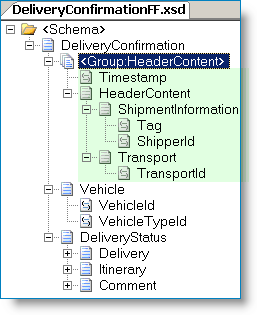
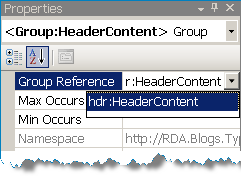
Next, create the document flat file schema and define everything except for the header content. The example below is for a fictional Delivery Confirmation document. Import the schema containing the reusable type and reference it in the document schema. Automatically the entire flat file header content that was previously defined is now part of Delivery Confirmation document.
 |  |
External links from MSDN